
AI assistant
Work through questions and everyday tasks in one conversation.
- ✓Ask questions using your workspace context
- ✓Prepare and refine drafts
- ✓Review results before using them
Let Stemfra AI help with customer enquiries, appointments, email and prospect research. Give it your business information and manage the work in one place, with your team in control.
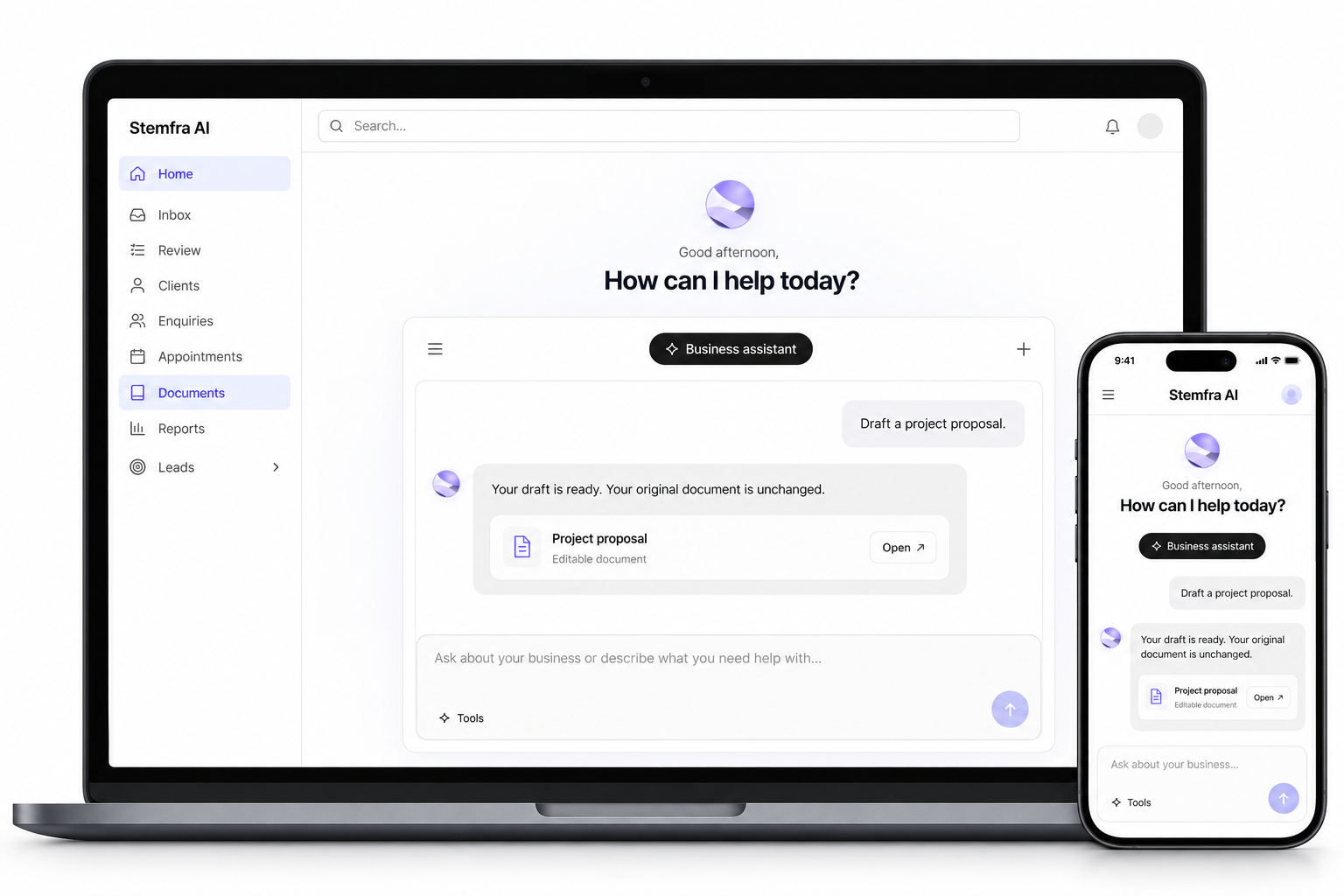
Ask, draft, research and manage everyday work with tools that share one workspace.
Work through questions and everyday tasks in one conversation.
Turn ideas into documents you can edit and share.
Help customers find answers and take the next step.
Research businesses and prepare outreach for your review.
Keep customer information and appointment work together.
Review your work and turn recordings into useful notes.
Start with a task. See how the tools help you move it forward.
Draft, revise and export your proposal in one workspace.
Explore documentsHow can I help today?
Help visitors find answers, leave their details or reach your team.
Explore Front DeskYour website assistant
Research prospects and prepare outreach for your review.
Explore lead researchResearch potential customers
Transcribe a recording and pull together its key points.
Explore transcriptionMake recordings useful
Organise customer details, enquiries and appointments in one place.
Explore client toolsKeep client work together
See what needs your attention, review drafts and move between your tools without leaving your workspace.
Your enquiries, drafts and prospects, together.
Start with customer enquiries or prospect research. Enable the capabilities you need.
Provide business details and knowledge, then connect the tools needed for the job.
Check the setup and preview the behaviour before activating it. Keep reviewing work as you go.
Follow an enquiry or a research brief from the first request to work that is ready for your team.
Can we arrange a group visit next Thursday?
Read the enquiry
Keep control of connected tools and review drafted work before it is sent.
Security and data
Access and controls
Review and oversight
Connect business tools and bring in information for your workflows. The grid includes connections, research sources and file inputs; availability depends on your setup.
 Gmail
Gmail Zoho Mail
 Supabase
 PostgreSQL
 Google Maps
All plans share the same core tools. Choose the monthly allowance that fits your work.
US$100 / month
Billed monthly
Contact support about Starter2,000 credits / month
Shared across all included tools
5 seats included
US$200 / month
Billed monthly
Contact support about Growth5,000 credits / month
Shared across all included tools
10 seats included
US$300 / month
Billed monthly
Contact support about Business10,000 credits / month
Shared across all included tools
25 seats included
Every plan includes the same core tools. Choose the monthly allowance that fits your workload. Integrations depend on your setup; Gmail remains on hold and Google Docs is not yet available.
| Included | Starter | Growth | Business |
|---|---|---|---|
| Monthly credits | 2,000 | 5,000 | 10,000 |
| Business Assistant | Included | Included | Included |
| Document drafting and editing | Included | Included | Included |
| Word and PDF export | Included | Included | Included |
| Lead research | Included | Included | Included |
| Client management | Included | Included | Included |
| Website Front Desk | Included | Included | Included |
| Appointment booking through supported integrations | Included | Included | Included |
| Inbox tools | Included | Included | Included |
| Draft review and approval | Included | Included | Included |
| Reports | Included | Included | Included |
| Recording transcription and summaries | Included | Included | Included |
Each plan covers one workspace: the place where you keep your documents, conversations and tools. Its monthly credits cover activity in that workspace. You can use Stemfra AI as an individual, freelancer or organisation; you do not need a registered business.
Starter includes 5 seats, Growth 10 and Business 25. Each person uses their own login. Owners and pending invitations count toward the limit. Owners manage invitations in Settings → Team. Team access is available when your workspace has an eligible plan and invitations are enabled.
Displayed prices exclude applicable taxes. Any tax and the full amount payable will be shown before you confirm a purchase. Online checkout remains disabled.
Credits measure usage across tools, rather than a guaranteed number of replies or documents. The published plan rates are:
Annual plans cost the equivalent of ten monthly payments for twelve months of access, a saving of approximately 16.7%. The full yearly amount is paid upfront. Credits remain a monthly allowance, not a yearly balance. Online checkout is not enabled.
No. Contact support to discuss the right paid plan. A trial is separate from a free plan; no trial is activated through this page.
The advertised monthly allowance resets each billing month and does not roll over. Contact support about additional usage and availability before committing to a plan.
For paid plans, workspace owners can cancel renewal in Billing without contacting support. Access continues until the paid period ends. Cancellation does not automatically issue a refund. Payments are generally non-refundable, except where required by law or an approved exception applies. See our cancellation and refund policy.
No. They are options within Front Desk. Configure the capabilities your business needs, including booking, after-hours callbacks and email.
Put your AI employee to work. Start with the tasks you need help with and configure them around your business.